Chat and Channel Tab App
The chat and channel tab keeps Image Gallery close to the conversation. Add it to a Teams chat or channel and that space gets a dedicated image view for the visual content shared there.
Instead of scrolling back through message history, users can browse the images that were shared in that specific conversation. This includes inline images sent directly in Teams messages, not only files stored in OneDrive or SharePoint.
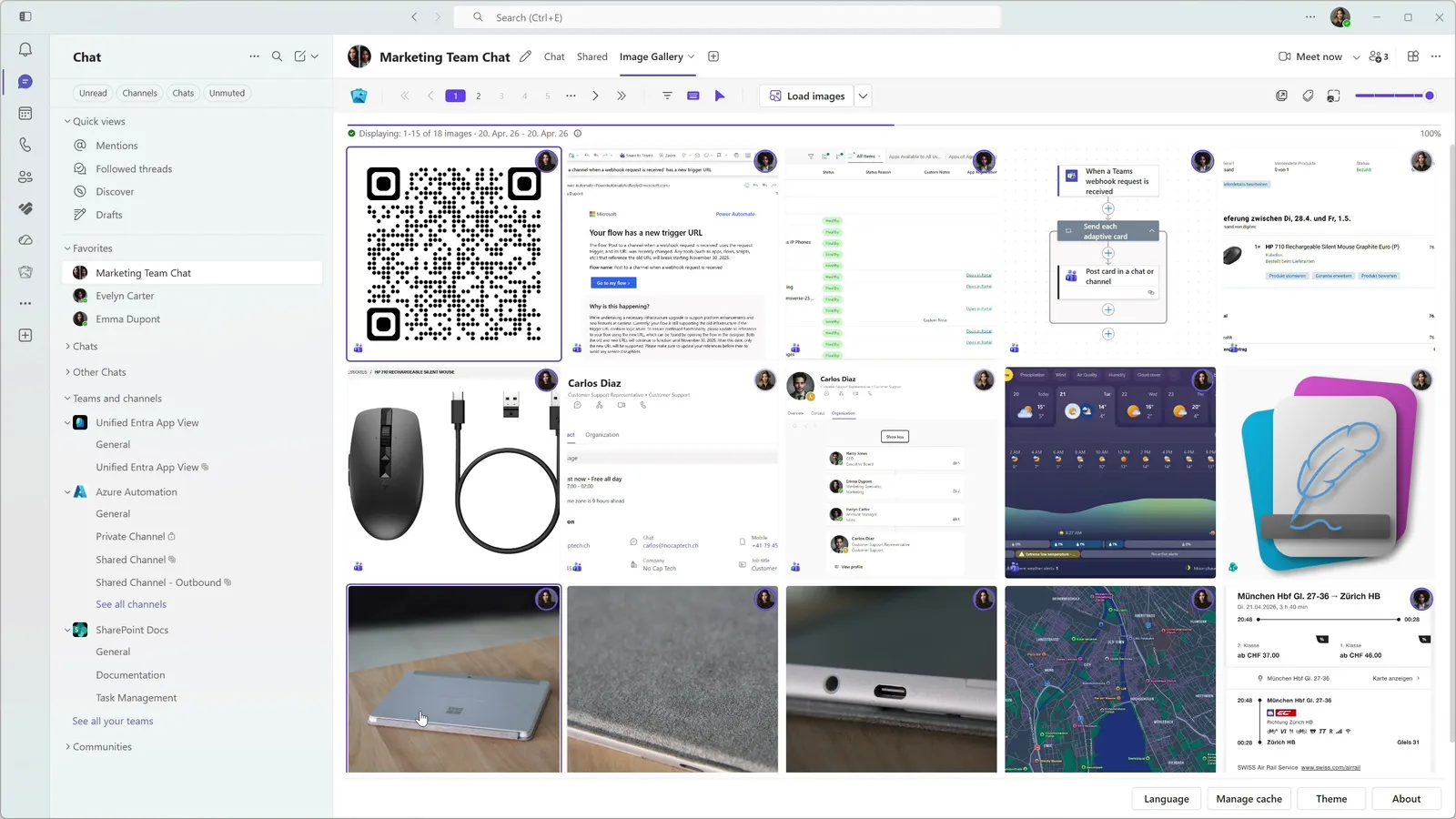
Scoped to the conversation
- Visual review without searching through old messages.
- Project, customer, or team images scoped to the right conversation.
- A focused gallery for important chats and channels.
- Inline Teams message images alongside file-backed images.
All supported chat and channel types
Image Gallery can be added as a Teams tab in the following chat and channel types:
Supported chat types
- Private chats (1:1)
- Group chats
- Meeting chats
- Chat with self*
Supported channel types
- Standard channels
- Private channels
- Shared channels hosted in the customer’s own organization**
Note*
Chat with self does not support adding apps as tabs. This is a limitation of Teams. The Chat with self filter can be accessed from the personal tab app.
Note**
Shared channels have one practical limitation: Image Gallery works only when the shared channel is hosted in the customer’s own organization, even when the other organization has a paid license for Image Gallery as well. If a shared channel is hosted by your organization and shared with users in an external organization, all channel members will see the Image Gallery tab but only your organization will be able to use it.
Designed for Teams work
The tab behaves like part of the Teams workspace, so the gallery stays connected to the conversation where the images were shared.
Explore more features
Image Gallery makes text inside Teams screenshots searchable with on-device OCR, helping users recover visual details without sending image content to an external AI service.
Image Gallery adds optional badges to image tiles so users can understand message, storage, and related-image context before opening each item.
Image Gallery gives Teams images a focused full screen viewer with zoom, copy, download, navigation, and a direct path back to the original message.
Image Gallery helps users narrow busy Teams image history with filters for sender, date, calendar week, chat, channel, storage context, message context, and more.
Image Gallery offers a Teams-friendly browsing experience with automatic theme detection, dark mode support, adjustable thumbnails, and a focused separate-window option.
Image Gallery includes a personal Teams app where users can browse, filter, and search images across enabled chats and channels from one place.
Start Finding Images in Teams Faster Today.
Install Image Gallery and use it for free or purchase a paid plan if your organization requires more than 50 users or any other paid feature.