Context Badges
Context badges give Image Gallery tiles small, useful signals without turning the grid into a noisy report. They help users understand what they are looking at before opening the full image or jumping back to the original Teams message.
Badges can show whether an image has surrounding message text, whether there are related images in the same message, where the image is stored, and other context that helps the user decide what to inspect next.
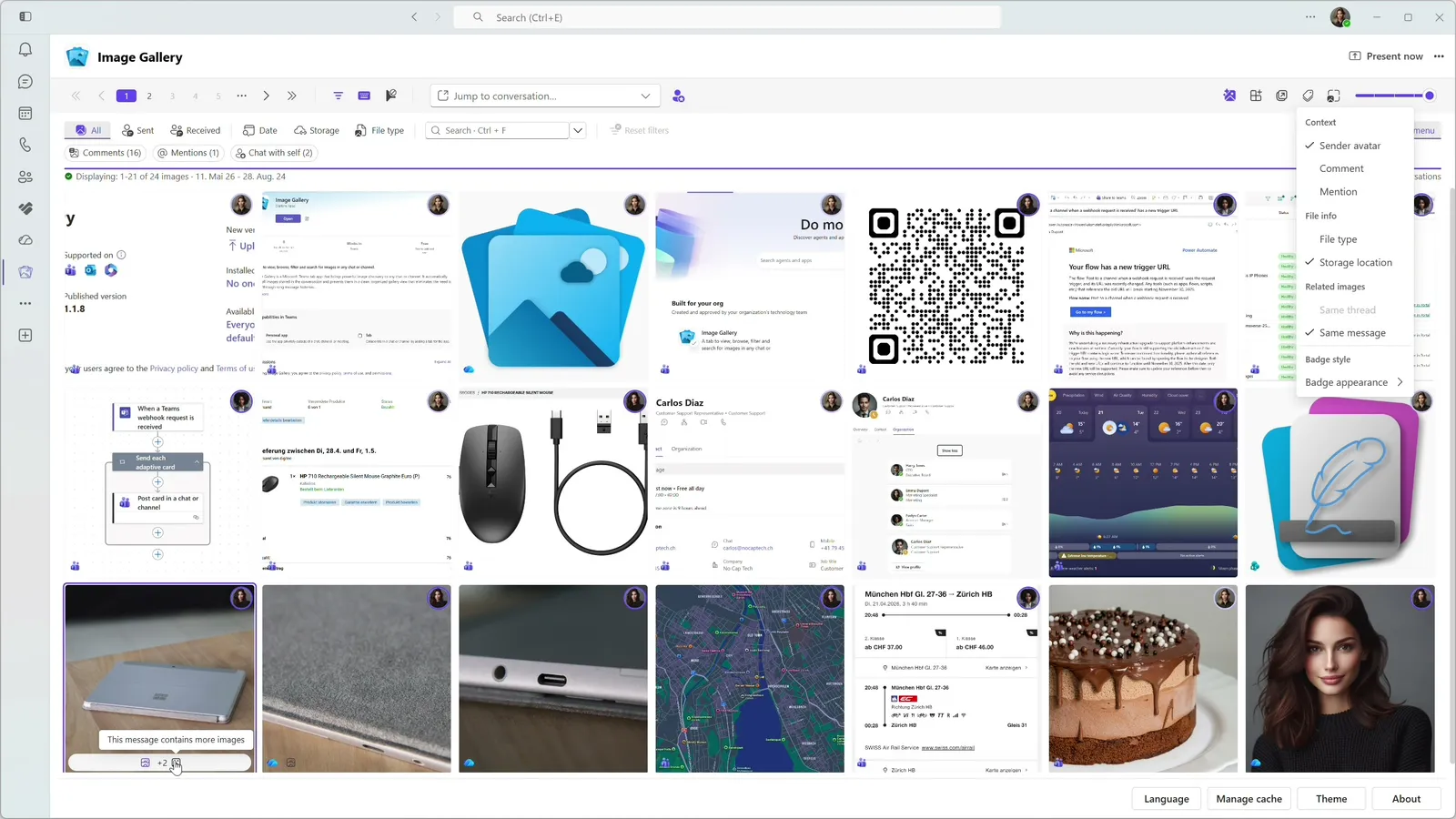
Better scanning, less opening
- Image context without opening every item.
- Clear signals for messages with text or multiple images.
- Storage context when it matters.
- Faster scanning without a crowded grid.
Optional by design
Image Gallery keeps badges optional so the view can stay as simple or as informative as the workflow requires.
Explore more features
Image Gallery makes text inside Teams screenshots searchable with on-device OCR, helping users recover visual details without sending image content to an external AI service.
Image Gallery gives Teams images a focused full screen viewer with zoom, copy, download, navigation, and a direct path back to the original message.
Image Gallery helps users narrow busy Teams image history with filters for sender, date, calendar week, chat, channel, storage context, message context, and more.
Image Gallery offers a Teams-friendly browsing experience with automatic theme detection, dark mode support, adjustable thumbnails, and a focused separate-window option.
Image Gallery includes a personal Teams app where users can browse, filter, and search images across enabled chats and channels from one place.
Image Gallery adds a dedicated image tab to a Teams chat or channel, including support for inline images shared directly in messages.
Start Finding Images in Teams Faster Today.
Install Image Gallery and use it for free or purchase a paid plan if your organization requires more than 50 users or any other paid feature.