

Jul 02, 2026 Product Updates
A Searchable Image Gallery Tab for Microsoft Teams.
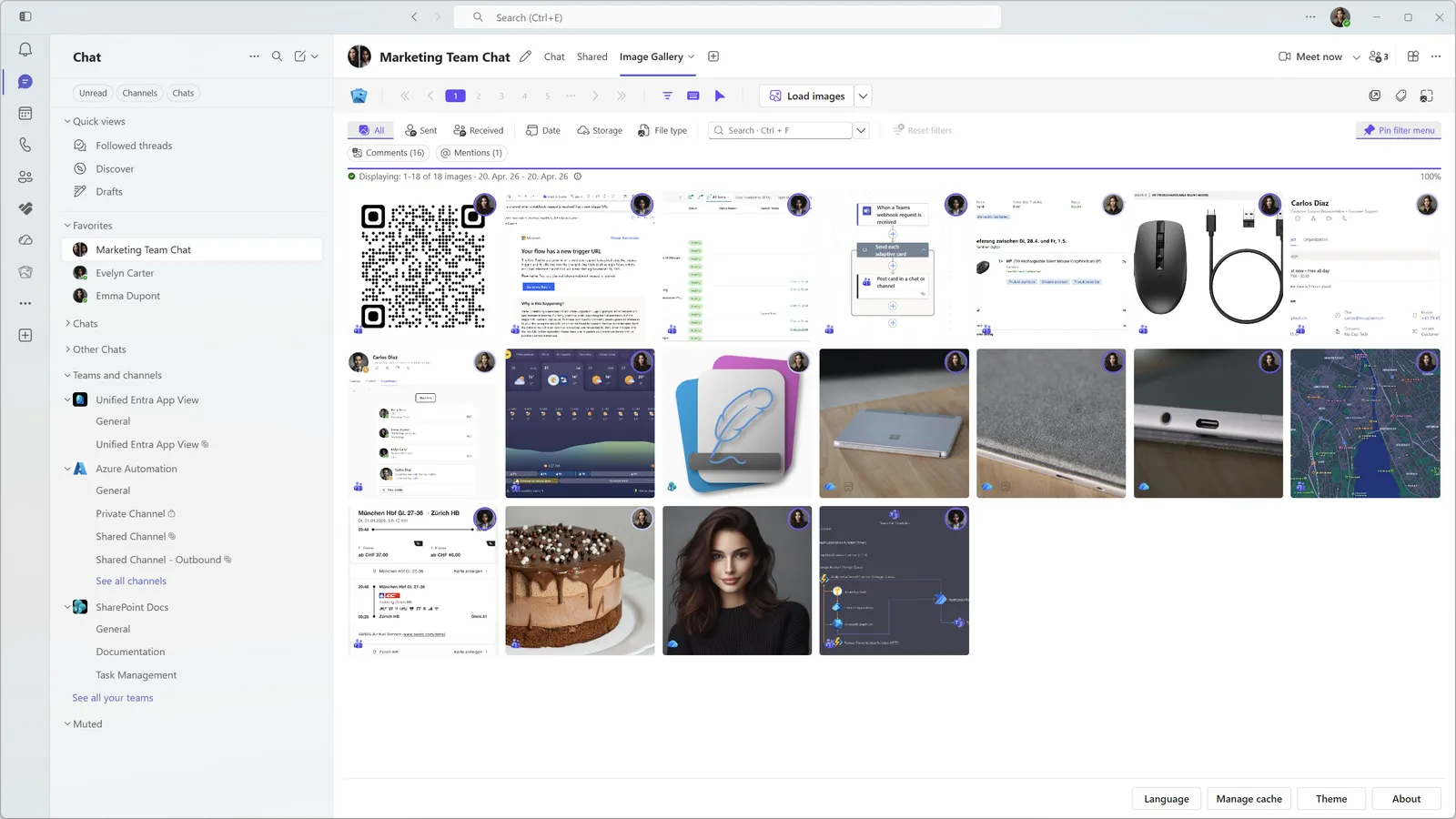
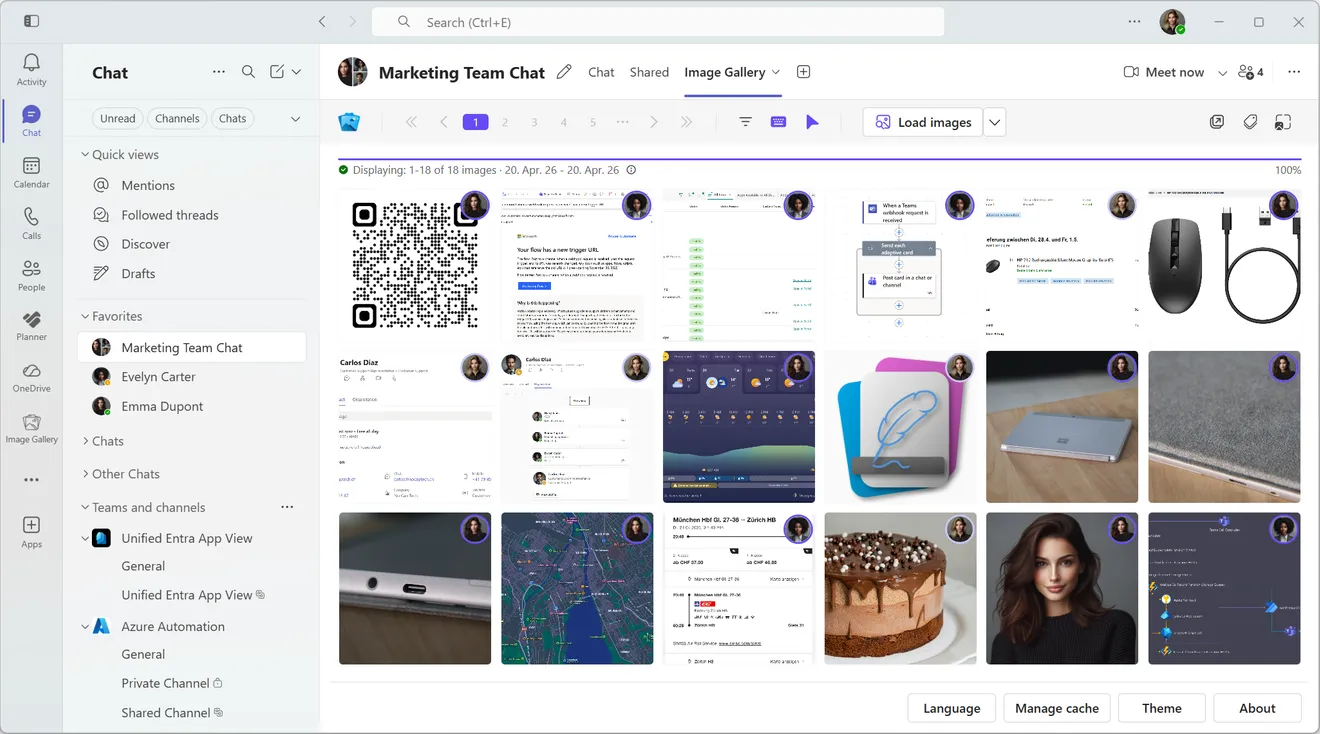
Image Gallery adds a Microsoft Teams tab that turns chat and channel images, including inline images, into a familiar gallery you can browse, filter, and search without scrolling through message history.
Perfectly integrated into Microsoft 365 and Teams. Native Single-Sign-On. Hosted on Microsoft Azure.



Teams Shared Tab VS Image Gallery.
The Shared tab in Teams only shows images sent as OneDrive or SharePoint links. It completely ignores inline images. Image Gallery fills that gap with a proper media view, just like iMessage, WhatsApp, Discord or Slack.
| Feature | Teams Shared Tab | Image Gallery |
|---|---|---|
| Gallery view | Basic shared files view | Dedicated image gallery |
| All images | Only SharePoint and OneDrive | All, including inline images |
| Filters | Basic | Advanced |
| Search scope | Chat or channel only | Chat, channel or all images |
| Text search in images | Not available | Available with on-device OCR search |
Gallery view
Teams Shared Tab
Basic shared files view
Image Gallery
Dedicated image gallery
All images
Teams Shared Tab
Only SharePoint and OneDrive
Image Gallery
All, including inline images
Filters
Teams Shared Tab
Basic
Image Gallery
Advanced
Search scope
Teams Shared Tab
Chat or channel only
Image Gallery
Chat, channel or all images
Text search in images
Teams Shared Tab
Not available
Image Gallery
Available with on-device OCR search
What are Inline Images?
Inline images are pictures pasted directly into the compose box in Teams and they are only stored in chat history. Images that are drag and dropped into the compose box get uploaded to OneDrive or SharePoint in the background.
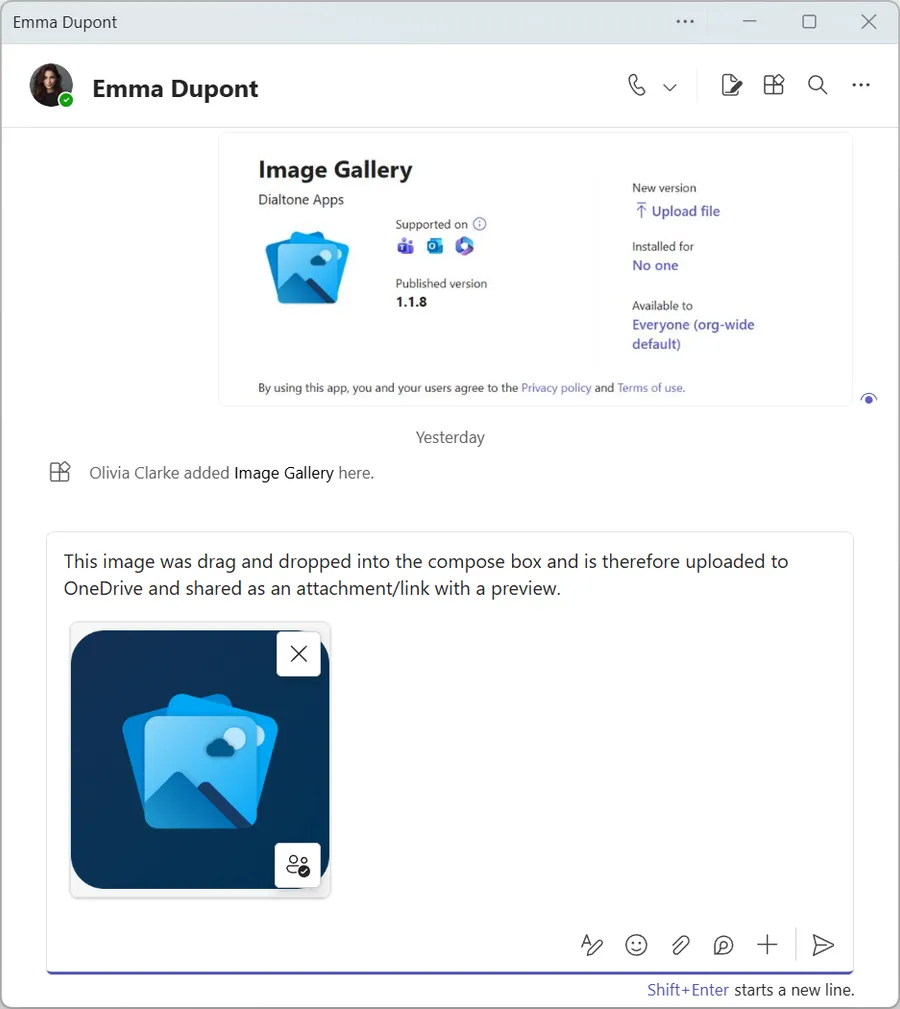
Image sent as a file attachment
You can tell that this image is an attachment because it has a remove and a permissions button overlay.
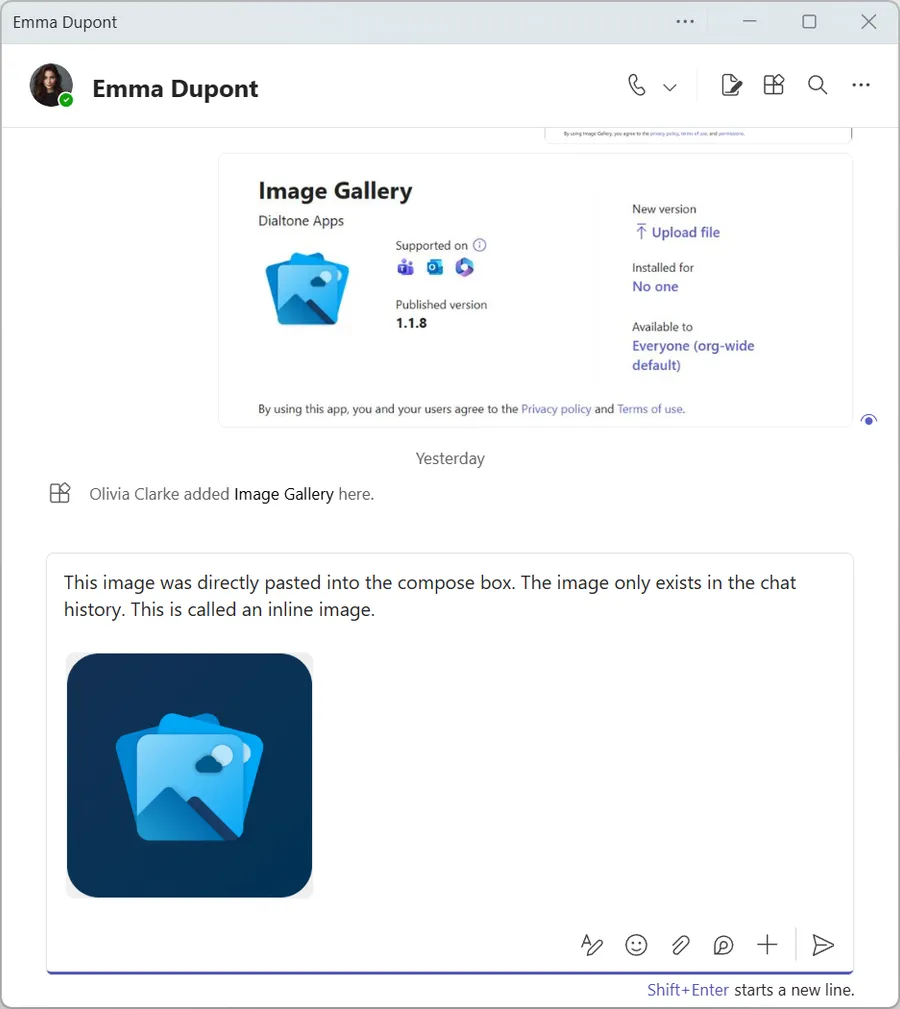
Inline image in a chat message
You can tell that this is an inline image because it doesn't have a remove and permissions button overlay.
Same Chat, Different Experience.
Click the tab names to see the difference.
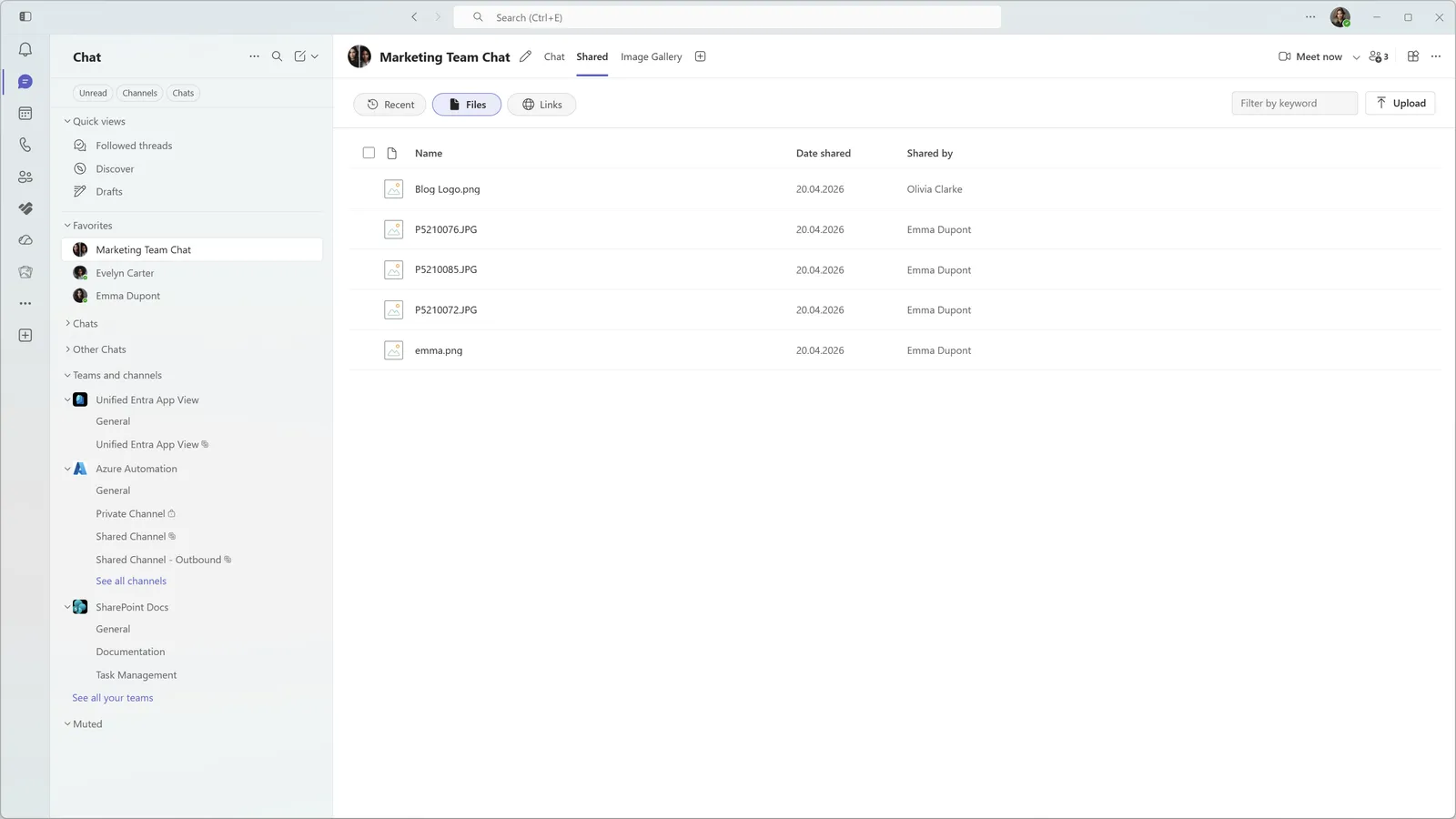
The native Shared tab only shows images from chat history that are stored on SharePoint or OneDrive.
Everything You Need To Find Images In Microsoft Teams.
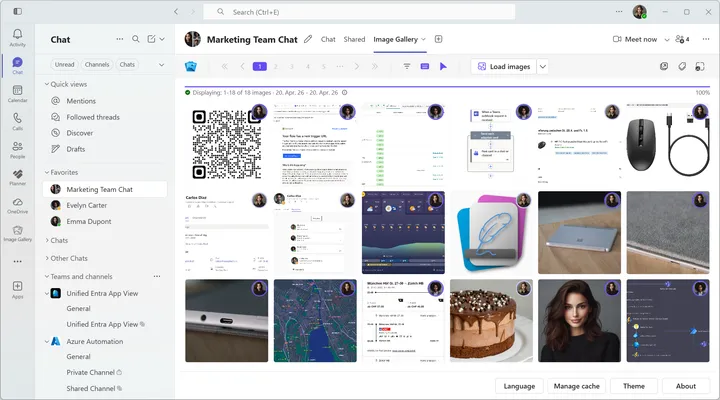
Chat and Channel Tab App
Instantly see all images sent in a specific chat or channel. Includes all images, even those that were sent inline and are not stored on OneDrive or SharePoint — something that Teams doesn't provide natively.
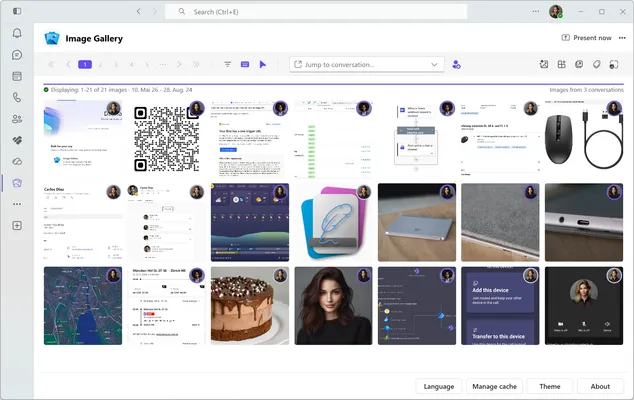
Personal Tab App
View, filter and search images from all Image Gallery enabled chats and channels in one place.
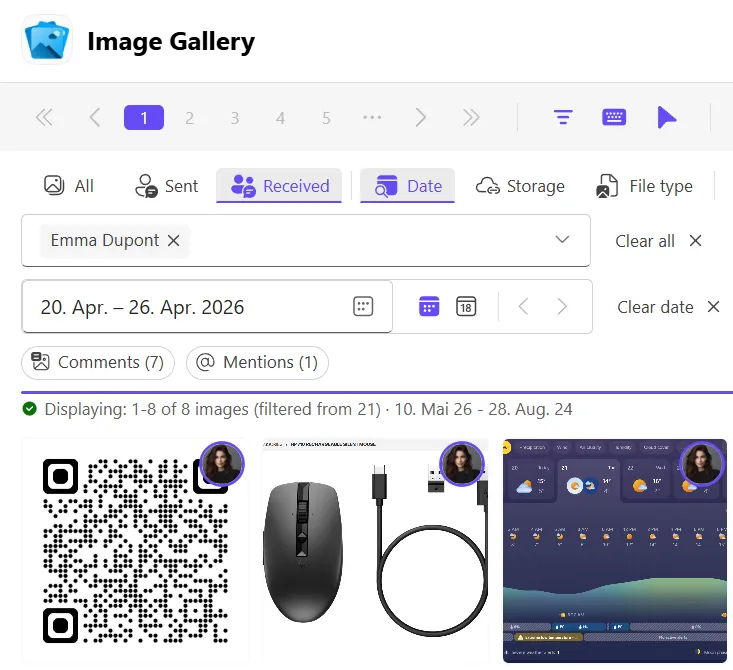
Intelligent Filters
Easily find images by combining more than 10 different filter combinations. Need to find an image that was sent by Emma during calendar week 17? Not a problem.
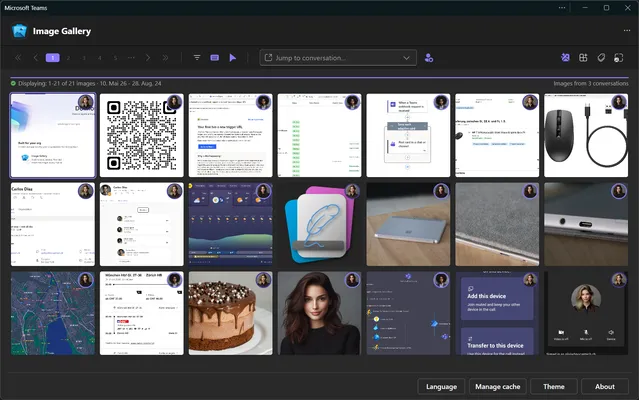
Intuitive Design
Automatic theme detection with full dark mode support. Opening the app in a separate window lets you browse your chat images distraction-free.

Context Badges
Optional badges provide additional image context. Instantly see where an image is stored, if a message contains text, other images and more.
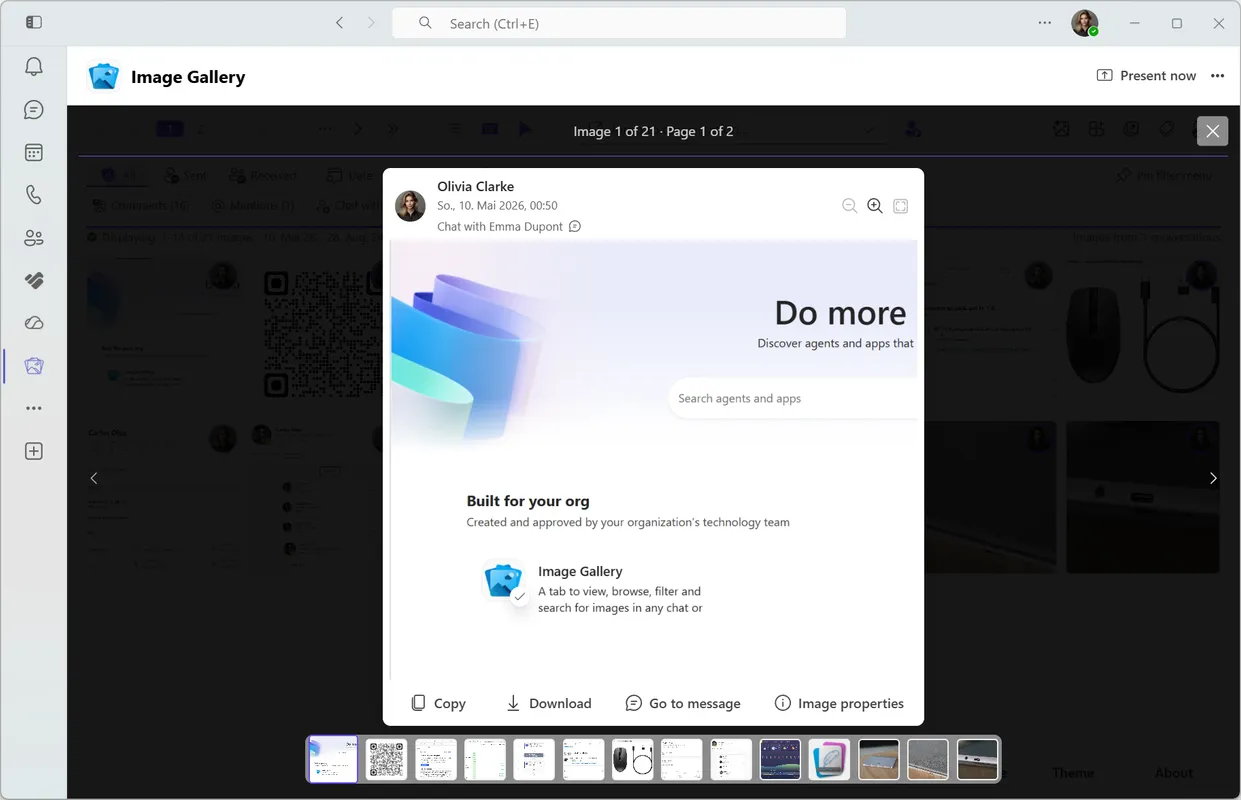
Full Screen View
View and cycle through images in full screen. Zoom in, copy, download or jump to the original chat message with the click of a button.
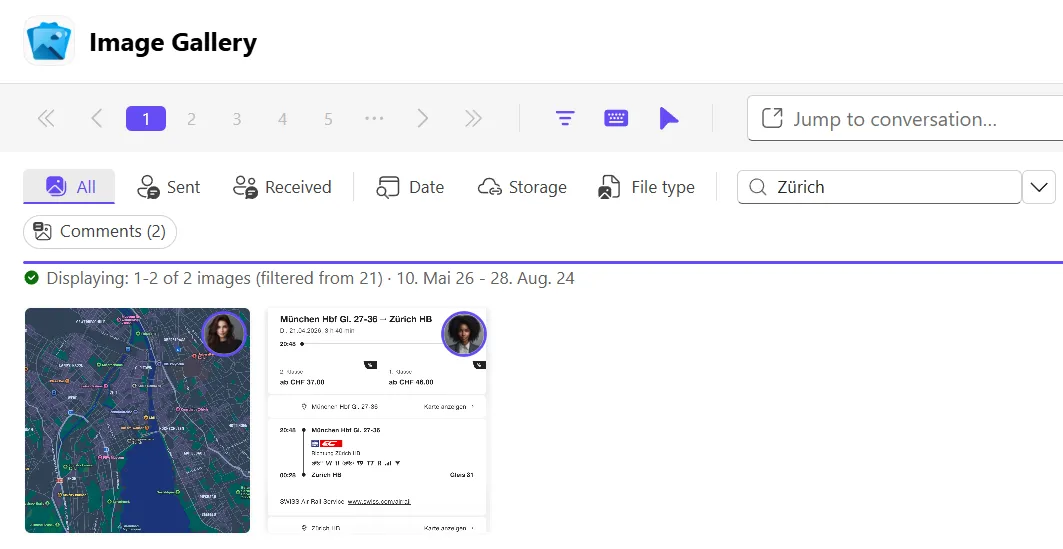
AI Image Search
Search text inside images with optional on-device OCR. Images and metadata stay on the device, so screenshots, labels, whiteboards, and dashboard captures are easier to find later.
Up and running in 5 minutes.
Step 01
Deploy Upload the Teams app
Download Image Gallery and upload the custom app package in Teams Admin Center. Review the requested permissions and grant admin consent before making it available.
Step 02
Explore Use the Free version
Add Image Gallery in Teams and sign in. Organizations can use the Free version with up to 50 users and a maximum of 10 tabs per user. No sign up or payment is required.
Step 03
Purchase Purchase a license
Evaluate the free version and optionally choose a monthly or yearly paid plan when you need AI powered OCR image search, unlimited tabs per user or more than 50 users.
Why Image Gallery Makes Images In Teams Easier To Find.
One Place for Teams Images
Browse images from Teams conversations without scrolling endlessly.
Find Images Faster
Use smart filters and free text search to find what you need faster.
Search Text Inside Images
Optional on-device OCR can make text in screenshots, labels, whiteboards, and other images searchable.
Teams SSO
Sign in with native Teams platform-level SSO through Microsoft Entra ID.
Privacy Focused
All images are downloaded directly from Teams (via Microsoft Graph) and are cached locally on your device. No images or image meta data is ever sent to us or 3rd parties.
Fair Pricing
Free for smaller teams and simple per-user pricing for larger ones. Every paid plan includes the complete product; choose the number of people who need access.
Simple Volume Pricing For Every Organization.
Free
$ 0
Per User per Month Includes core features for 50 users and 10 tabs per user.
- Feature set Core features
- Works on desktop
- Works on mobile
- User limit Max. 50 users
- Tab limit per user Max. 10 tabs per user
- Tab for chats and channels
- Personal tab app
- Intelligent filters
- Context badges
- Full screen image viewer
- Quick action buttons
- AI powered image search
51-100 Users
$ 1.00
Per User per Month Includes all features with unlimited tabs per user.
- Feature set All features
- Works on desktop
- Works on mobile
- User limit Max. 100 users
- Tab limit per user Unlimited tabs per user
- Tab for chats and channels
- Personal tab app
- Intelligent filters
- Context badges
- Full screen image viewer
- Quick action buttons
- AI powered image search
101-300 Users
$ 0.75
Per User per Month Includes all features with unlimited tabs per user.
- Feature set All features
- Works on desktop
- Works on mobile
- User limit Max. 300 users
- Tab limit per user Unlimited tabs per user
- Tab for chats and channels
- Personal tab app
- Intelligent filters
- Context badges
- Full screen image viewer
- Quick action buttons
- AI powered image search
301+ Users
$ 0.50
Per User per Month Includes all features with unlimited tabs per user.
- Feature set All features
- Works on desktop
- Works on mobile
- User limit Unlimited users
- Tab limit per user Unlimited tabs per user
- Tab for chats and channels
- Personal tab app
- Intelligent filters
- Context badges
- Full screen image viewer
- Quick action buttons
- AI powered image search
Image Gallery solves a real problem Teams users keep asking about.
How to find pictures/screenshots in a chat?
Read the original post on Microsoft Tech CommunityWe use teams chat to share screenshots all the time, but it seems these shared screenshots are not saved in the file tab.
It is very difficult to browse through the complete chat history to find them because I cant find a way to filter all the pictures, etc. Does anyone know the trick?

Anonymous
Puzzled Microsoft Tech Community User
ANY efficient way to see images shared in a teams chat?
Read the original Reddit threadTeams business user here. When I go to the files tab of my chat window, I can see the files listed, but no image thumbnails.
I can't even scroll through the files without loading each one individually and then hitting back and relocating where I was in the list of files to load the next one. Takes forever and extremely inefficient.
Found an article online saying there should be a photos tab next to files, but that doesn't exist for me and I've made the window as wide as possible. Support was no help. Any ideas?? Thanks.

Anonymous
Frustrated Reddit User
See all photos in a teams chat?
Read the original post on Microsoft Learn Q&AI am quite disappointed that I need to scroll for 10 mins to search for a photo sent 6 months ago.
Isn't there a way to see all photos in a teams chat in a new tab like Files or a separate tab like photos? I need it for the business version, not the teams free version.
Anonymous
Disappointed Microsoft Learn Q&A User
Get the Latest News about Image Gallery.
May 25, 2026 Product Updates Offers
Launch Offer: 50% Off Image Gallery for 3 Months
Read MoreRead more about launch offer: 50% off image gallery for 3 months May 12, 2026 Product Updates Microsoft Teams
Microsoft Teams Image Search vs Image Gallery
Read MoreRead more about microsoft teams image search vs image gallery Start Finding Images in Teams Faster Today.
Install Image Gallery and use it for free or purchase a paid plan if your organization requires more than 50 users or any other paid feature.