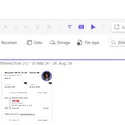
AI Image Search
Search text inside Teams images using on-device OCR, so image content becomes searchable without sending images or metadata away from the device.
AI Image Search makes the text inside Teams images searchable. Screenshots, whiteboards, error messages, and shared visual notes become easier to find because users can search what appears inside the image, not only the message around it.
The OCR processing runs on device. Images and metadata are not sent to an external AI service for analysis.
Why it matters
- Search for text that appears inside screenshots.
- Find visual information when the message text is not enough.
- Keep image analysis local to the user’s device.
- Turn old Teams image history into a more useful knowledge source.
Useful for screenshot-heavy work
Teams conversations often contain screenshots of errors, settings, dashboards, diagrams, and status updates. AI Image Search helps users recover that information later using the words visible in the image itself.
You might be interested in

Optional badges add useful context to each Teams image, including storage information, message text, related images, and other signals.

Open Teams images in a full screen viewer with zoom, copy, download, navigation, and a direct jump back to the original chat message.

Combine flexible filters to find Teams images by sender, date, calendar week, chat, channel, storage context, message context, and more.
Get Started and make your users happy, Today.
Enjoy a 10-day free trial — experience all features, risk-free.